 Official Site of The State of New Jersey
NJGMS Getting Started Guide: Creating ESEA and IDEA Revisions
See the How to Log on to New Jersey Grants Management System (NJGMS) webpage for logon instructions.
In NJGMS, Amendments are now called Revisions. Revisions are due to the program office by May 15, 2026.
Send questions about submitting a Revision or the status of a Revision to your ESEA or IDEA Program Office:
- Title IA Help Desk
- Title ID Help Desk
- Title II Help Desk
- Title III and Title III Immigrant Help Desk
- Title IV Help Desk
- IDEA Help Desk
Any questions requiring technical assistance with NJGMS, please contact the EWEG Help Desk.
When Revisions are Necessary
An Amendment Application or Revision must be submitted when any of the following occur:
- The sum of all changes (measured cumulatively throughout the fiscal year) to an approved budget exceeds ten percent of the total approved budget for each sub-grant.
- There are changes in any of the following:
- Approved intent
- Program area
- Purpose of salary costs and the related benefits
- Type of equipment
- Intended use of approved equipment
- Program in which the equipment will be used
- Funds are transferred to an unopened budget line (a line in which no funds were previously budgeted).
- There are requests to purchase equipment other than those items approved in the grant application (unapproved equipment).
- Funds are transferred into the administrative cost (not to exceed the 5% or 2% expended cap).
Note: Grantees are limited to the specific equipment items listed in the final approved grant application budget. To comply with federal education grant award guidance (EDGAR) all equipment purchases require prior New Jersey Department of Education (NJDOE) approval.
Step 1: Login and Navigate to NJGMS
- Log into EWEG.
- On the Dashboard, click on the NJGMS link.
Begin text shown in system You have been granted access to the forms below by your Security Administrator
- Administrative
- **LEA Central Contact - REQUIRED
- Consortium Administration
- GMS ACCESS / Select
- Funded Applications
- Non-Funded Data Collections
- NJGMS (2026 ESEA, IDEA, and Perkins)End text shown in system
- Administrative
Step 2: Applications
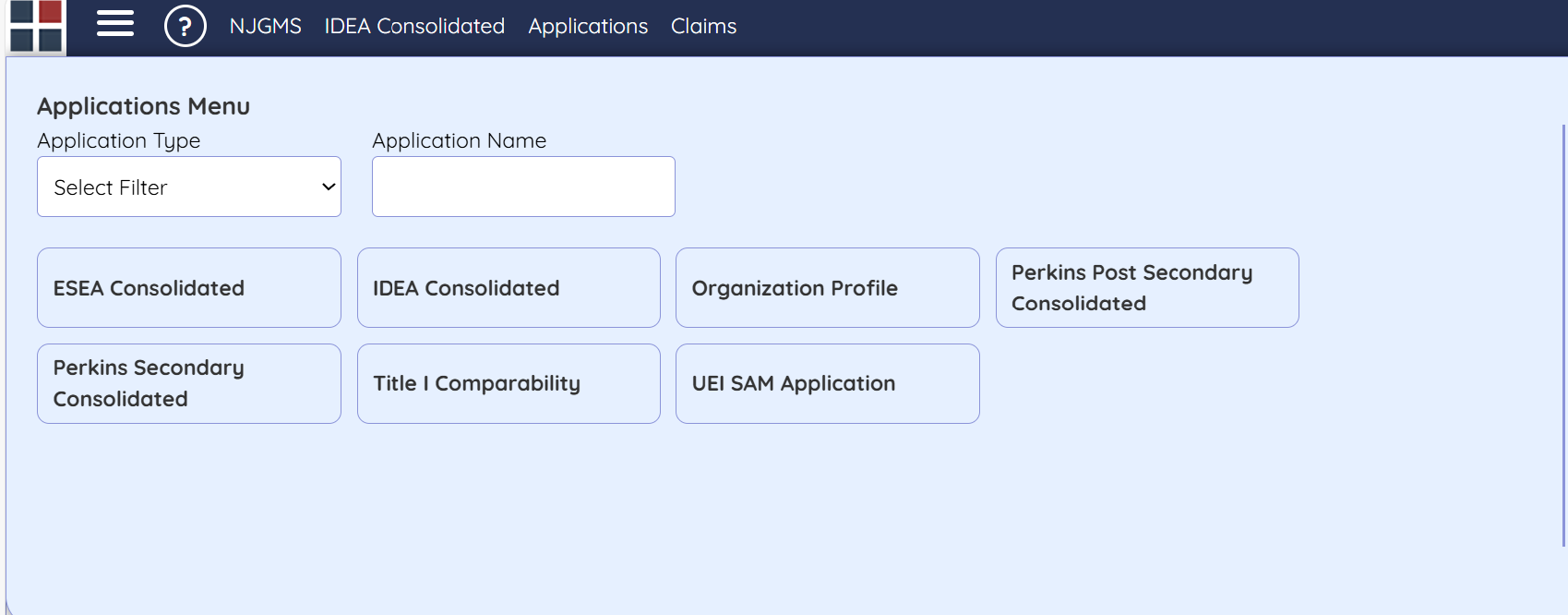
Select the Applications option from the top dashboard menu.

Step 3: Select Grant to Revise
Select the Grant you would like to Revise from the Tiles.
Step 4: Create the Revision
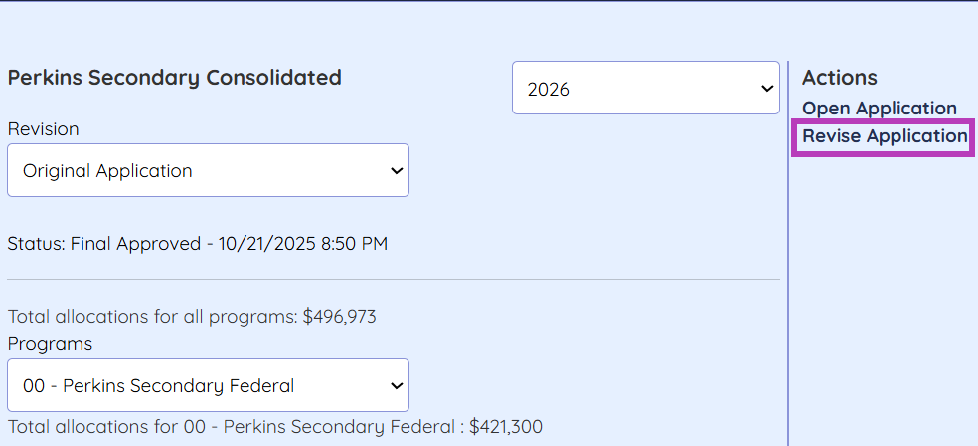
- Select the application revision from the drop-down menu (e.g., Original Application, Revision 1, etc.).
- Under Actions, click the "Revise Application" link.
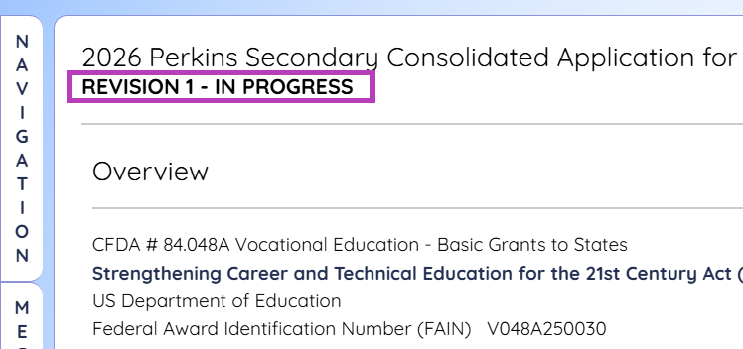
Step 5: Verify Revision in Progress
The Navigation Overview should indicate Revision 1 — In Progress.
Step 6: Make Application Changes
Update the sections of the grant as necessary. Remember to save your changes as you make revisions!
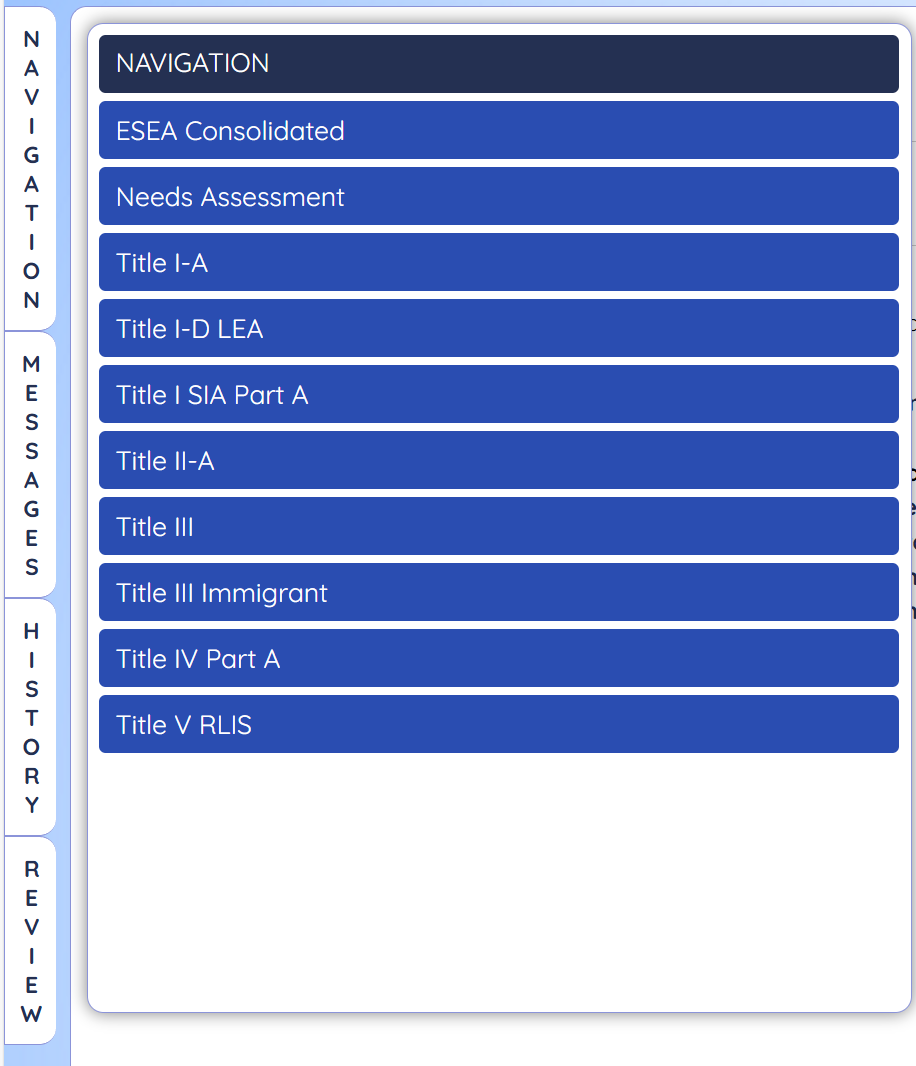
The sections under Navigation for ESEA, also shown in the screenshot are:
- ESEA Consolidated
- Needs Assessment
- Title I-A
- Title I D LEA
- Title I SIA A
- Title SIA Part A
- Title II-A
- Title III
- Title III Immigrant
- Title IV Part A
- Title V RLIS
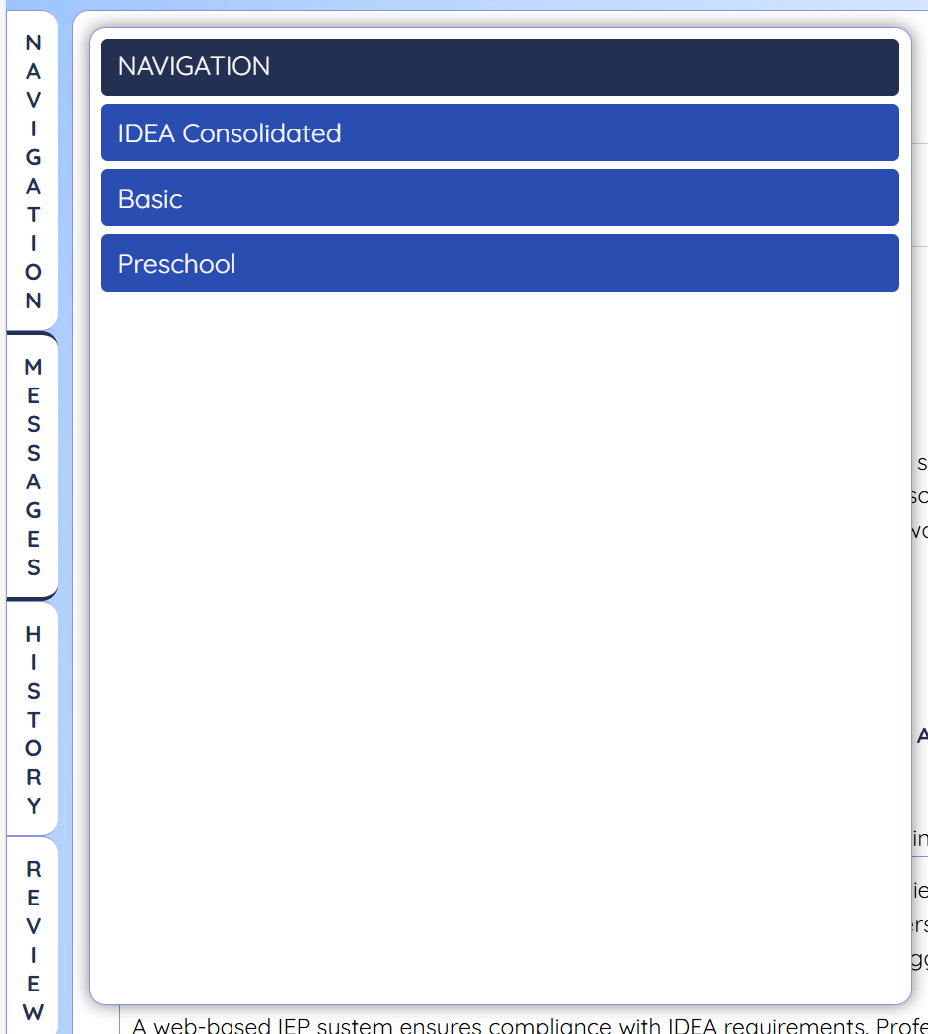
The sections under Navigation for IDEA, also shown in the screenshot are:
- IDEA Consolidated
- Basic
- Preschool
Step 7: Provide Revision Explanations
On the Submit page, be sure to complete the Revision Explanation information. An explanation must be provided for each sub-grant for ESEA or IDEA in which modifications are being made.
Select the application section (s) where changes have been made in the revision and provide details as requested
✅IDEA Consolidated
☐ Program change
☐ Fiscal change
Please describe what has changed. 0 of [max]
✅Basic
☐ Program change
☐ Fiscal change
Please describe what has changed. 0 of [max]
✅Preschool
☐ Program change
☐ Fiscal change
Please describe what has changed. 0 of [max]
End text shown in system
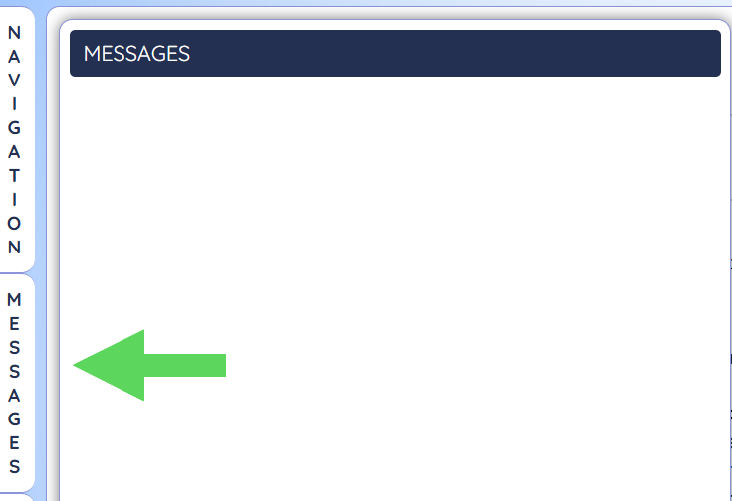
Step 8: Check Messages
Be sure to check the Message Panel. Clear any messages by clicking on the jump link and fixing any errors or omissions.
Step 9: Submit the Revision
On the side Navigation Pane, select Submit - Board Authorization.
Navigation
ESEA Consolidated
Overview
Contact Information
Allocations
Nonpublic Refusal of Funds
Other
ESEA Required Stakeholder
Certification
Assurances - Assurances Page 1
Assurances - Assurances Page 2
Assurances - Assurances Page 3
Assurances - Nonpublic Consultation
Special Conditions
Submit - Board Authorization
End text shown in system
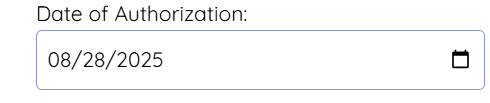
- In the Date of Authorization Field, add the Board approval date for the Revision.
- Check the box to agree to the certification.
- Save the page.
The school District hereby authorizes the submission of the ESEA application for Fiscal Year 2026, and accepts the grant award of the funds upon subsequent approval of the FY 2026 ESEA application.
✅
I certify that I have read all assurances including the general assurances contained in the LEA Central Contacts and that the programs and services implemented under the grant program will be operated in accordance with all such assurances.
☐
I also certify that the person submitting this application is either the Chief School Administrator or is the designee of the Chief School Administrator with authorization by the Chief School Administrator to submit this application.

End text shown in system
Revision Support
Revisions are due by May 15, 2026, though this date is flexible and subject to change. Send questions about submitting a Revision or the status of a Revision to your County Specialist or OGM Reviewer. Any questions requiring technical assistance with NJGMS, please contact the EWEG Help Desk.